
Unlike vanilla Skyrim, Nolvus V6 Awakening does not start on the Helgen prisoner cart. You spawn directly inside a starting room and immediately enter Character Creation. Follow the first-30-minutes checklist below to avoid the three most common new-player mistakes: broken High Poly Head faces, interrupted script initialization, and save bloat.
1. Character Creation & the High Poly Head Fix
Nolvus Awakening ships with bundled character presets and High Poly Head. Loading a preset incorrectly causes mismatched eyes, clipping brows, or broken face geometry.
Loading a Preset Correctly
- Open the Presets tab and select Load Preset.
- Choose your Gender, Race, and Preset File (note the preset's exact name).
- Switch to the Sculpt tab → click Import Head → select Head Sculpts matching your race and gender.
- Select the matching sculpt file and confirm.
Fixing Face Glitches (Custom Characters)
If you build a face manually (or if a preset still looks distorted), go to the Head tab and change Face Part to 4 (High Poly Head) before fine-tuning sliders.
2. Wait for Scripts Before Talking to the Dragon
After naming your character, do not interact with the dragon or exit the room immediately:
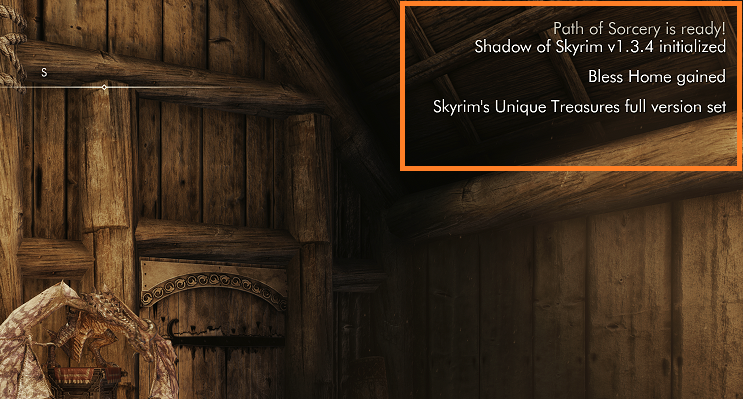
- Stand still and watch the top-left / top-right notification feed while MCM menus and mods finish initializing.
- Wait until the messages completely stop scrolling (usually 1–3 minutes depending on CPU).
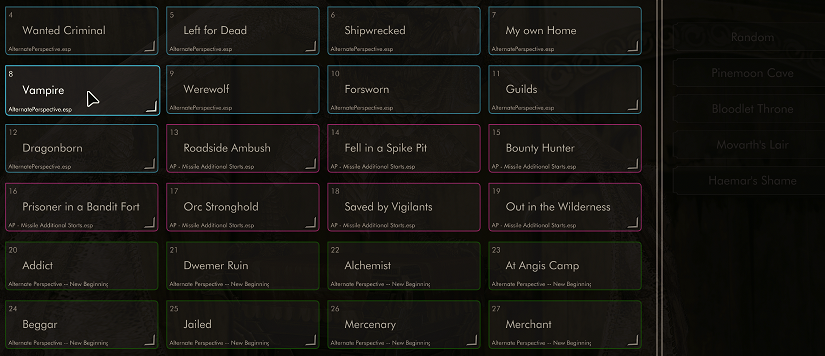
- Only then talk to the dragon in the room to choose your starting scenario (powered by Alternate Perspective).
Choosing Your Start Scenario
- Any Alternate Start (or leaving the room without talking to the dragon): Starts the Nolvus Awakening quest so you can trigger the vanilla Helgen attack later at your own pace by visiting Matlara at the Helgen Inn (see How to Start the Main Quest).
- Dragonborn Alternate Start Scenario: Spawns you directly at High Hrothgar already recognized as the Dragonborn. This skips Nolvus Awakening and automatically completes Unbound, Bleak Falls Barrow, and Dragon Rising.
3. Critical Save-Game Rules (Shadow of Skyrim)
A 4,287-mod load order is sensitive to script state during saves. Official Nolvus V6 guidelines list three strict rules:
- Never save during combat or mid-action. Find a quiet location, wait 30 seconds, then save. Apply the same 30-second wait right after entering a new interior cell or building.
- Do not reload a save when you die. V6 includes Shadow of Skyrim: instead of reloading (which can leave stale scripts in memory), dying respawns you in a nearby or thematic location, turns your killer into a named Nemesis carrying a unique buff (and potentially your gear), applies a temporary debuff, and gives you a quest to hunt your Nemesis down and recover your items.
- Periodically check your save with FallrimTools (ReSaver). Load your latest save file in FallrimTools occasionally to confirm there are no orphaned scripts accumulating over a 100-hour playthrough.
4. Dashboard Choices You Should Understand Early
Several gameplay choices are locked during installation in the Nolvus Dashboard:
- Difficulty Preset:
Milk Drinker(Very Easy, removes 5 enemy difficulty mods, max enemy level 50, no modded enemy spells/perks),Hack & Slash(Easy),True Nord(Medium), orPrepare to Die(Hard). - Leveling Mode: Vanilla (level skills by using them) vs Alternate Leveling (gain XP from kills, location discovery, and quests, then allocate skill points freely). Read the full breakdown in Builds & Leveling.
- Exhaustion System: Optional stamina penalty system (see Combat & Exhaustion).
- Survival (SunHelm): Installed but disabled by default—you can toggle it on when sleeping for the first time or anytime in the SunHelm MCM menu (see Survival Mechanics).
Next: learn the exact default combat & UI buttons in Controls & Keybinds.